Image to Video AI: Transform Static Photos into Dynamic Videos Instantly
Image to Video AI: Transform Static Photos into Dynamic Videos Instantly
In the age of digital storytelling, static images are no longer enough to capture audience attention. The rise of image to video AI technology has revolutionized how we create engaging content, allowing anyone to transform ordinary photographs into dynamic, attention-grabbing videos in seconds. This breakthrough in artificial intelligence eliminates the need for complex animation software, expensive production teams, or technical expertise.
Whether you're a content creator looking to enhance your social media presence, a marketer seeking more engaging campaigns, or simply someone wanting to breathe life into cherished photographs, image to video AI offers an accessible, powerful solution. This comprehensive guide will show you how to harness this transformative technology to create professional-quality videos from your static images.
🎬 Ready to Try It Now? Experience our Free AI Video Generator – transform your photos into stunning videos in seconds. No login, no watermarks, completely free!
What is Image to Video AI?
Image to video AI is an advanced artificial intelligence technology that analyzes static photographs and generates natural motion, effectively transforming still images into short video clips. Unlike traditional video editing that requires frame-by-frame animation, AI image to video conversion happens automatically, with the AI understanding the image content and applying realistic motion effects that bring the scene to life.
The power of image to video AI lies in its ability to:
- Understand Image Structure: The AI analyzes your photo's composition, identifying subjects, backgrounds, depth, and visual elements
- Generate Natural Motion: Based on the image content, the video AI creates realistic movement patterns
- Maintain Visual Quality: The transformation preserves your original image quality while adding smooth, professional motion
- Process Instantly: What would take hours with traditional animation tools happens in seconds with image to video AI
This technology represents a paradigm shift in content creation, democratizing video production and making it accessible to everyone, regardless of technical skill or budget.
Why Use Image to Video AI?
Before diving into the practical applications, let's explore why image to video AI has become an essential tool for modern content creators.
Instant Video Content Creation
Traditional video production requires planning, filming, and editing – a process that can take hours or days. Image to video AI compresses this timeline dramatically:
- Upload a photo
- Describe the motion you want
- Generate your video in seconds
This speed enables content creators to maintain consistent posting schedules, respond quickly to trends, and produce more content with less effort.
Breathe Life into Existing Photos
Most creators have libraries of stunning photographs sitting unused because static images don't perform as well as video content on modern platforms. Image to video AI transforms these dormant assets into engaging video content:
- Revitalize portfolio photos with subtle motion
- Convert product images into dynamic demonstrations
- Enhance historical or archival photographs
- Create video versions of graphic designs
- Generate social media content from existing imagery
No Technical Skills Required
Professional animation typically requires specialized software knowledge and artistic skills. AI image to video technology eliminates these barriers:
- No animation experience needed
- No complex software to learn
- No expensive equipment required
- No technical expertise necessary
If you can describe the motion you envision, the image to video AI can create it.
Platform-Optimized Content
Social media algorithms heavily favor video content. Image to video AI helps you leverage this preference:
- Increase engagement rates
- Improve content visibility
- Compete effectively in video-first platforms
- Adapt static content for TikTok, Instagram Reels, YouTube Shorts
How Image to Video AI Works
Understanding the process behind image to video AI helps you achieve better results and push the technology's creative boundaries.
Step 1: Image Analysis
When you upload a photo, the AI video generator performs sophisticated analysis:
- Object Detection: Identifies people, objects, landscapes, and elements within the image
- Depth Perception: Estimates the 3D structure and spatial relationships
- Composition Understanding: Recognizes focal points, foreground, and background
- Context Recognition: Understands the scene type (portrait, landscape, product, etc.)
This deep understanding enables the image to video AI to generate appropriate, realistic motion.
Step 2: Motion Generation
Based on your prompt and the image analysis, the video AI generates motion:
- Natural Movement: Creates realistic motion that respects physics and natural behavior
- Subject Animation: Animates specific subjects (people waving, objects moving, etc.)
- Environmental Effects: Adds atmospheric motion (clouds drifting, water flowing, etc.)
- Camera Movement: Can simulate camera pans, zooms, or dollies
The motion generation happens in real-time, with the AI synthesizing new frames that maintain consistency with your original image.
Step 3: Video Synthesis
Finally, the image to video AI compiles everything into a polished video:
- Smooth frame transitions
- Consistent lighting and color
- Professional output quality
- Optimized format for various platforms
Practical Examples: Image to Video AI in Action
Let's explore real-world applications of image to video AI, based on actual use cases that demonstrate the technology's versatility.
Example 1: Portrait Animation
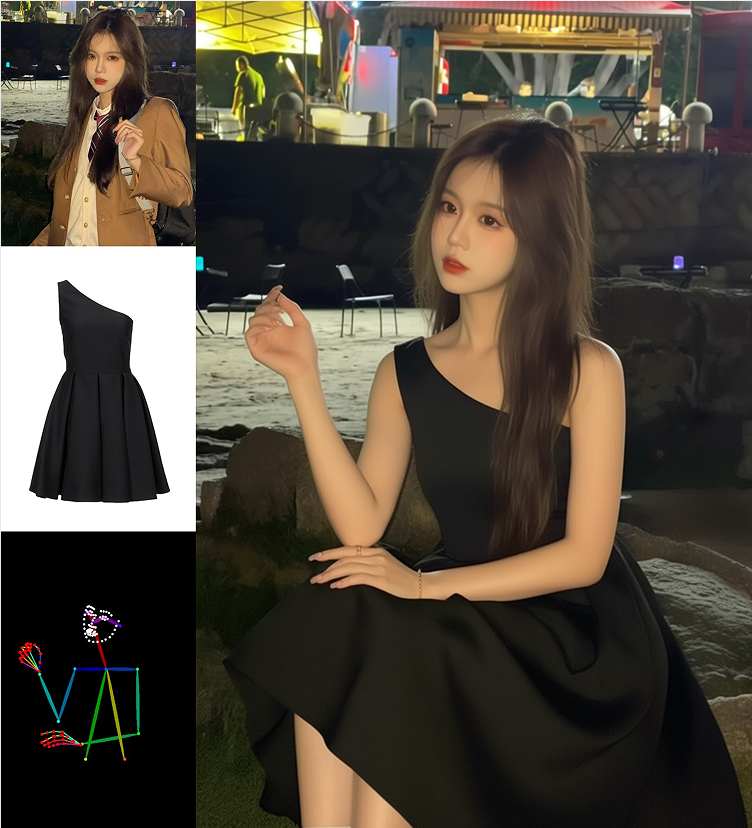
One of the most popular applications of image to video AI is bringing portrait photographs to life.
Starting Image: A portrait photograph of a person Motion Prompt: "Person waving at the camera"
What the Image to Video AI Creates:
The AI image to video technology analyzes the portrait and generates natural motion:
- The subject's hand lifts in a natural waving gesture
- Facial expressions adjust subtly (slight smile, eye movement)
- Hair moves gently as if caught by a light breeze
- Clothing shifts with realistic fabric physics
- The entire animation feels alive and authentic
This transformation happens in seconds, creating a video that would require hours of frame-by-frame animation using traditional methods.
Use Cases:
- Social media profile videos
- Professional introduction clips
- Personal greeting videos
- Dating profile enhancements
- Artistic portraits with motion
Example 2: Landscape and Nature Scenes
Image to video AI excels at adding atmospheric motion to landscapes and nature photography.
Starting Image: A scenic photograph taken at a train crossing with a person waiting Motion Prompt: "Gentle movement and atmospheric effects"
What the AI Video Generator Creates:
The image to video AI transforms a static scene into a cinematic moment:
- Subtle swaying of vegetation or clothing
- Natural body movements (weight shifts, breathing)
- Environmental motion (distant traffic, atmospheric haze)
- Lighting variations (shadow play, light shifts)
- Overall sense of a captured moment in time
Use Cases:
- Travel content for social media
- Tourism marketing videos
- Photography portfolio enhancement
- Establishing shots for video projects
- Atmospheric content for mood boards
Example 3: Product Photography Enhancement
Starting Image: A product photograph (furniture, clothing, electronics, etc.) Motion Prompt: "Slow rotation to show different angles"
What the Image to Video AI Generates:
The video AI creates product demonstration content:
- Smooth 360-degree rotation
- Highlight key product features
- Professional presentation quality
- E-commerce ready video content
Use Cases:
- E-commerce product listings
- Marketing materials
- Sales presentations
- Social media product showcases
- Online catalog enhancements
Example 4: Motion Effects and Atmospheric Enhancement
Image to video AI can add specific environmental effects to any image.
Starting Image: A photograph with sky elements Motion Prompt: "Clouds moving at sunset"
What the AI Image to Video System Creates:
- Naturally drifting clouds across the sky
- Changing light conditions as clouds pass
- Atmospheric depth with realistic motion
- Cinematic quality comparable to time-lapse photography
- Professional-grade video content ready for any platform
The result rivals expensive stock footage, created instantly from a single photograph.
Use Cases:
- Nature content creation
- Relaxation and meditation videos
- Background footage for presentations
- B-roll for video projects
- Artistic video installations
Step-by-Step Guide: Creating Your First Image to Video
Ready to transform your first photo with image to video AI? Follow this detailed guide to achieve professional results.
Step 1: Choose the Right Image
While image to video AI works with various photos, certain characteristics produce optimal results:
Best Image Qualities:
- High Resolution: Clear, well-defined images (avoid heavily compressed photos)
- Good Lighting: Well-lit subjects with visible details
- Clear Subjects: Distinct foreground elements
- Appropriate Composition: Balanced framing suitable for motion
Image Types That Work Well:
- Portrait photographs
- Landscape scenes
- Product photos
- Architecture and buildings
- Nature photography
- Urban scenes
- Action shots frozen in time
Step 2: Access the Image to Video AI Tool
Visit an image to video AI platform that offers:
- No registration requirements
- Free unlimited access
- No watermarks on output
- Professional quality results
Our AI Video Generator provides all these features, making AI image to video conversion accessible to everyone. Click here to start creating now!
Step 3: Upload Your Image
Simply:
- Click the upload button
- Select your photo from your device
- Wait for the image to load (usually instant)
The image to video AI immediately begins analyzing your photo.
Step 4: Describe Your Desired Motion
This is where creativity meets technology. Craft a prompt that describes how you want your image to move:
Effective Prompt Strategies:
For Portraits:
- "Person waving at the camera"
- "Subtle smile and eye movement"
- "Head turning slightly to the side"
- "Hair blowing in gentle breeze"
For Landscapes:
- "Clouds drifting across the sky"
- "Water rippling and flowing"
- "Trees swaying in wind"
- "Fog rolling through the scene"
For Products:
- "Slow 360-degree rotation"
- "Camera zooming in on details"
- "Product floating and turning"
- "Highlighting key features"
General Motion:
- "Gentle camera pan from left to right"
- "Slow zoom in on subject"
- "Subtle atmospheric movement"
- "Cinematic motion effect"
The more specific your prompt, the better the image to video AI can match your vision.
Step 5: Configure Video Settings
Customize your output:
Video Format Options:
- Square (1:1): Ideal for Instagram posts, Facebook
- Landscape (16:9): Perfect for YouTube, presentations, websites
- Portrait (9:16): Optimized for TikTok, Instagram Stories, Snapchat
Choose based on where you plan to share your AI video content.
Step 6: Generate Your Video
Click the generate button and watch the image to video AI work its magic:
- Processing typically takes 30 seconds to 2 minutes
- The AI analyzes, generates motion, and renders your video
- Quality is maintained throughout the process
- No degradation from your original image
Step 7: Review and Download
Once generation completes:
- Preview your video
- Verify the motion meets your expectations
- Download the file (no watermarks, no restrictions)
- Use it however you wish
If the result isn't perfect, adjust your prompt and regenerate. The image to video AI offers unlimited attempts, so experimentation is encouraged.
Advanced Techniques for Image to Video AI
Once you're comfortable with basic image to video AI creation, these advanced strategies will help you achieve even more impressive results.
Technique 1: Layered Motion Descriptions
Instead of simple prompts, create layered descriptions that guide the AI video generator more precisely:
Basic: "Add motion" Advanced: "Gentle camera push-in with subtle subject movement and atmospheric lighting changes"
The detailed prompt gives the image to video AI more creative direction, resulting in more cinematic output.
Technique 2: Context-Specific Prompts
Tailor your prompts to the image content:
For a beach scene: "Waves rolling onto shore, seagulls flying overhead, palm fronds swaying gently in tropical breeze"
This tells the image to video AI to add multiple motion elements that enhance the beach atmosphere.
Technique 3: Emotional Direction
Add emotional context to your prompts:
Instead of: "Person moving" Try: "Joyful person waving enthusiastically with warm, welcoming energy"
The AI image to video system can interpret emotional cues and adjust the motion characteristics accordingly.
Technique 4: Cinematic Language
Use filmmaking terminology for more professional results:
- "Slow dolly zoom effect"
- "Rack focus from foreground to background"
- "Handheld camera subtle shake for realism"
- "Crane shot ascending view"
These terms help the image to video AI understand the style you're seeking.
Technique 5: Iterative Refinement
Don't expect perfection on first attempt:
- Generate initial video
- Identify what works and what doesn't
- Refine your prompt based on observations
- Regenerate with adjusted instructions
- Repeat until you achieve your vision
The image to video AI learns from your iterative guidance, producing better results with each refinement.
Real-World Applications of Image to Video AI
Understanding where image to video AI delivers the most value helps you integrate it effectively into your workflow.
Social Media Content Strategy
Social media platforms heavily favor video content in their algorithms. Image to video AI enables:
Daily Content Creation:
- Convert existing photo libraries into video posts
- Maintain consistent posting schedules without daily filming
- Create multiple video variations from single images
- Respond quickly to trends with rapid video generation
Platform Optimization:
- Instagram: Square and portrait formats with eye-catching motion
- TikTok: Portrait videos with dynamic movement
- YouTube: Landscape format for channel content and Shorts
- Facebook: Square format for feed optimization
Engagement Boost: Videos generated with image to video AI typically see:
- Higher engagement rates than static images
- Increased shares and saves
- Better algorithm visibility
- More comments and interaction
Marketing and Advertising
Professional marketing campaigns benefit enormously from AI image to video technology:
Product Marketing:
- Transform product photos into dynamic demonstrations
- Create multiple video ads from single photoshoot
- Generate A/B testing variations quickly
- Reduce video production costs dramatically
Brand Storytelling:
- Bring brand photography to life
- Create emotional connections through motion
- Enhance corporate presentations
- Produce testimonial videos from photos
Real Estate and Property:
- Animate property photos for virtual tours
- Create engaging listing videos
- Highlight property features with motion
- Stand out in competitive markets
E-Commerce Enhancement
Online retail sees significant benefits from image to video AI:
Product Listings:
- Convert static product photos into video demos
- Show products from multiple angles
- Demonstrate scale and context
- Increase conversion rates with video content
Customer Engagement:
- Reduce return rates through better product visualization
- Provide immersive shopping experiences
- Build customer confidence in purchases
- Differentiate from competitors using static images
Creative and Artistic Projects
Artists and creators push image to video AI in innovative directions:
Photography Enhancement:
- Add motion to portfolio pieces
- Create "living photographs" for exhibitions
- Produce limited edition video art
- Explore new creative mediums
Memory Preservation:
- Bring historical family photos to life
- Animate cherished memories
- Create emotional video tributes
- Preserve moments with added dimension
Educational Content:
- Animate historical photographs for lessons
- Bring textbook images to life
- Create engaging educational videos
- Visualize concepts through animated imagery
Comparing Image to Video AI with Traditional Methods
To appreciate the revolutionary nature of image to video AI, let's compare it with traditional video creation approaches.
Traditional Video Production
Requirements:
- Video camera or smartphone filming
- Proper lighting setup
- Multiple takes to get the right shot
- Video editing software knowledge
- Hours of filming and editing time
- Potentially significant costs
Limitations:
- Can't recreate moments already captured in photos
- Weather dependent for outdoor shoots
- Requires subject availability
- Limited to physically possible camera movements
- High barrier to entry for beginners
Traditional Animation
Requirements:
- Animation software expertise
- Frame-by-frame creation
- Artistic skills for movement
- Significant time investment (hours per second)
- Expensive professional software
- Technical knowledge of rigging and keyframes
Limitations:
- Extremely time-consuming
- Requires specialized skills
- Expensive if outsourcing
- Steep learning curve
- Not accessible to casual users
Image to Video AI
Requirements:
- A single photograph
- Simple text description of desired motion
- Internet connection
- That's it!
Advantages:
- Instant results (seconds, not hours)
- No technical skills required
- Free and accessible to everyone
- Unlimited experimentation
- Professional quality output
- Works with existing photo libraries
- No special equipment needed
The comparison makes clear why image to video AI represents a paradigm shift in content creation.
Best Practices for Image to Video AI
Maximize your results with these proven best practices developed through extensive use of AI image to video technology.
Image Selection
Do:
- Use high-resolution images (at least 1080p)
- Choose well-lit photographs
- Select images with clear subjects
- Use photos with interesting composition
- Prefer images with depth and dimension
Avoid:
- Heavily compressed or low-quality images
- Extremely dark or overexposed photos
- Blurry or out-of-focus images
- Images with heavy filters that obscure details
- Photos with distracting backgrounds (unless that's the focus)
Prompt Crafting
Effective Prompts Are:
- Specific: "Person waving hand" not just "movement"
- Descriptive: Include atmosphere, mood, style
- Action-oriented: Focus on what should happen
- Contextual: Consider the image content
Less Effective Prompts Are:
- Too vague: "make it move"
- Contradictory: "fast and slow motion"
- Overly complex: Too many competing instructions
- Irrelevant: Motion that doesn't fit the image
Motion Matching
Match your motion prompts to image content:
Portraits: Subtle, human-scale movements Landscapes: Environmental and atmospheric motion Products: Revealing rotations or feature highlights Architecture: Camera-based movement (pans, zooms) Action shots: Completing or continuing the frozen action
Output Optimization
For Social Media:
- Use platform-specific aspect ratios
- Keep motion subtle for feed content
- More dynamic for Stories/Reels
- Consider autoplay without sound
For Marketing:
- Professional, polished motion
- Brand-appropriate movement style
- Clear product focus
- Attention-grabbing but not distracting
For Artistic Projects:
- Experiment with unconventional motion
- Push creative boundaries
- Combine multiple generations
- Create unique visual experiences
Troubleshooting Common Issues
Even with advanced image to video AI, you may occasionally encounter challenges. Here's how to address them.
Issue: Motion Doesn't Match Expectations
Solution:
- Refine your prompt with more specific direction
- Break complex motion into simpler descriptions
- Try different phrasing of the same concept
- Reference the image content more explicitly
The image to video AI responds to prompt clarity, so iteration often resolves this issue.
Issue: Generated Video Quality Seems Low
Solution:
- Start with higher resolution source images
- Ensure source photo isn't compressed
- Check that you're downloading the full-quality version
- Select appropriate output format for your platform
The AI video generator can only work with the quality you provide.
Issue: Motion Looks Unnatural or Glitchy
Solution:
- Request more subtle, gentle motion
- Choose motion types that suit the image content
- Avoid extremely complex motion for simple images
- Try regenerating (sometimes variations work better)
Issue: Wrong Elements Are Moving
Solution:
- Be more specific about what should move
- Describe both what moves and what stays still
- Use descriptive language that highlights the subject
- Adjust your prompt to focus the AI's attention
The Future of Image to Video AI
The field of image to video AI is evolving rapidly. Here's what's on the horizon:
Longer Duration Videos
Current AI image to video systems typically generate 2-5 second clips. Future developments will enable:
- Extended video durations
- Multiple scene transitions from single images
- Narrative-driven longer content
Enhanced Control
Upcoming image to video AI features may include:
- Precise motion control for specific image regions
- Layered motion (different speeds for different elements)
- Path-based motion direction
- Style transfer combined with motion
Multi-Image Sequences
Future video AI tools might:
- Combine multiple images into cohesive videos
- Generate transitions between images
- Create slideshows with intelligent motion
- Build complete stories from photo series
Real-Time Generation
As technology advances, image to video AI could offer:
- Instant preview while adjusting prompts
- Live editing of generated motion
- Interactive motion control
- Immediate feedback loops
Getting Started Today
The power of image to video AI is available right now, completely free, with no barriers to entry.
👉 Start Creating Videos Now - Visit Our AI Video Generator
Your First Steps:
- Select a Photo: Choose an image from your library that you'd like to animate
- Visit the Platform: Access our AI Video Generator (no registration needed)
- Upload Your Image: Simply drag and drop or select your photo
- Describe the Motion: Write a clear prompt about how you want it to move
- Generate: Click the button and watch the AI image to video transformation
- Download and Share: Save your video and use it anywhere
No Credit Card. No Email. No Watermarks. No Limits.
Just pure creative power at your fingertips.
Conclusion: Transform Your Content with Image to Video AI
The emergence of image to video AI represents more than just a technological advancement – it's a democratization of video creation that empowers everyone to produce professional-quality content. What once required expensive equipment, technical expertise, and hours of work now takes seconds and costs nothing.
Whether you're a social media influencer looking to boost engagement, a marketer seeking cost-effective video content, an e-commerce seller wanting to showcase products dynamically, or simply someone who wants to bring cherished photographs to life, image to video AI provides the solution.
The technology is accessible, powerful, and continuously improving. Every static image in your library represents potential video content waiting to be activated. Every photograph you take can become a dynamic video with just a few words describing the motion you envision.
Key Takeaways:
- Image to video AI transforms static photos into dynamic videos instantly
- No technical skills, equipment, or costs required
- Perfect for social media, marketing, e-commerce, and creative projects
- Unlimited experimentation with professional results
- Accessible to everyone, regardless of experience level
The future of content creation is here, and it's powered by AI image to video technology. Your photo library is a treasure trove of potential video content. The only question remaining is: which image will you bring to life first?
Start your image to video AI journey today. Transform your static photographs into captivating videos that engage, inspire, and convert. No registration, no watermarks, no limits – just pure creative freedom powered by artificial intelligence.
The world of dynamic content awaits. Let image to video AI be your gateway to endless creative possibilities.