Seedance 2.0: ByteDance's AI Video Model That's Actually Worth Using
Seedance 2.0: ByteDance's AI Video Model That's Actually Works
If you've been frustrated with AI video generators that can't get lip sync right or completely change your character's face between shots, Seedance 2.0 might be what you've been waiting for.
Released in February 2026 by ByteDance (the TikTok folks), Seedance 2.0 takes a different approach. Instead of treating video as just "moving images," it processes text, images, video clips, and audio together as one unified system.
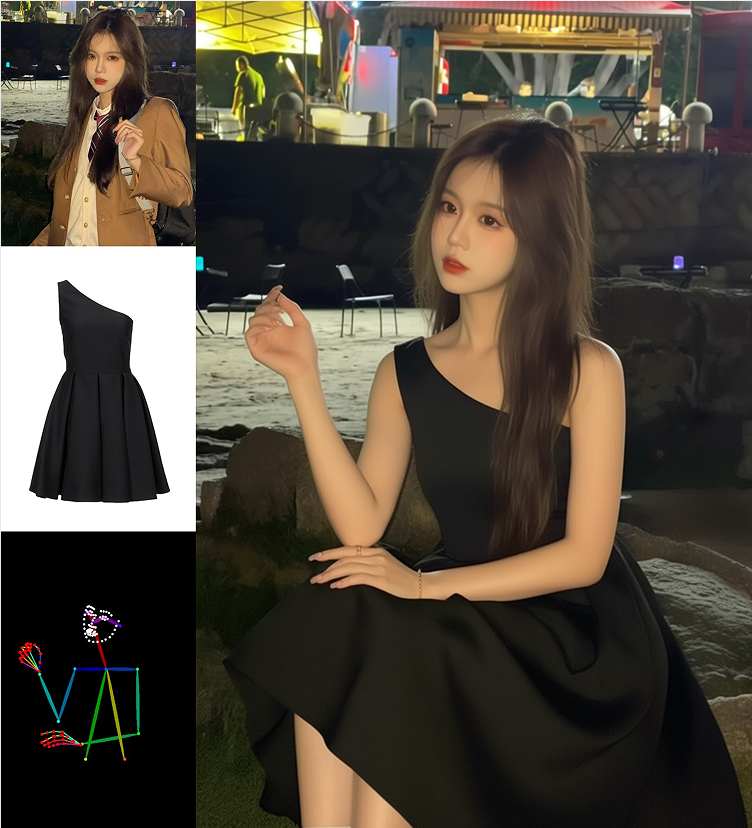
The result? You can feed Seedance 2.0 up to 9 reference images, 3 video clips, and 3 audio tracks simultaneously, and it actually understands how they relate to each other. Want that character from your reference image walking through this specific environment while moving to the beat of your uploaded music? Seedance 2.0 handles that without falling apart.
🎬 Try it yourself: Our AI Video Generator uses Seedance 2.0 technology. Start with free mode, upgrade to Premium for 1080p exports and end-frame control.
What Makes Seedance 2.0 Different
The Lip Sync Actually Works
Previous AI video models would have characters randomly opening and closing their mouths while dialogue played. It looked fake and everyone noticed.
Seedance 2.0 generates the video and audio together, so the timing matches. When a violinist's bow moves across the strings, you hear the note at that exact moment. When a character speaks, the mouth motion aligns with the words. This might not sound revolutionary, but in the AI video space, it's a big deal.
Characters Stay Consistent
You know the problem: generate shot one, your character looks great. Shot two, same prompt, suddenly they have different hair or their face shape changed entirely.
Seedance 2.0 solves this by letting you lock in a reference image. As long as you're feeding it the same character reference, Seedance 2.0 maintains the facial structure, hairstyle, and overall appearance across multiple generations. It's not perfect—no AI video model is—but it's noticeably better than what most people were used to.
Motion That Doesn't Look Glitchy
Two dancers performing a synchronized routine. A martial artist throwing a combination. Someone playing drums with actual rhythm.
These scenarios broke earlier AI video models. Seedance 2.0 handles multi-subject motion with reasonable physical accuracy. Bodies don't randomly merge together. Limbs move in ways that make sense. It's still AI-generated video, so you'll get the occasional weird frame, but the overall coherence is there.
The Price is Actually Reasonable
A VFX supervisor recently made a 2-minute sci-fi short using Seedance 2.0 for about $45. Compare that to traditional production costs. An indie game creator generated a full trailer in 20 minutes for $60.
Is Seedance 2.0 going to replace Hollywood? No. But for indie creators, small businesses, and anyone working with a tight budget, the cost-to-quality ratio is hard to ignore.
Seedance 2.0 Features That Actually Matter
| Feature | Why It's Useful |
|---|---|
| Multimodal inputs | Combine images, video, audio, and text in one go—great for complex scenes |
| Lip sync | Characters speak on beat—music videos and dialogue scenes actually work |
| Character reference | Upload a face, get that same face back—finally solved the consistency problem |
| Video extension | Continue your clip forward or backward—build longer sequences from short generations |
| Local editing | Change one thing without breaking everything else |
How to Use Seedance 2.0
ByteDance distributes Seedance 2.0 through Doubao and Jimeng AI in China. International access is... complicated. Some people use VPNs and Chinese phone numbers. Others wait.
Or you can use our AI Video Generator, which integrates Seedance 2.0's capabilities directly in your browser. No VPN needed.
Free vs Premium: What You Actually Get
| Feature | Free | Premium |
|---|---|---|
| Daily generations | Limited | Unlimited |
| Resolution | Standard | 720p / 1080p |
| Aspect ratio | Fixed | 16:9 or 9:16 |
| End frame control | No | Yes |
| Processing | Queue | Priority |
| Ads | Yes | No ads |
The end frame feature in Premium mode is worth explaining: you upload both a starting image AND an ending image. Seedance 2.0 generates the transition between them. This is huge for storytelling—you control exactly where the scene begins and ends.
Prompt Examples That Work with Seedance 2.0
Narrative Scene
Close-up: mechanical fingers lighting a match, flame reflecting in cybernetic eyes. Cut to: detective leaning toward the flame, rain dripping from hat. Cut to: wide shot of neon-lit street at night, steam rising from vents, distant city sounds.
Character with Reference
Use uploaded image for face reference. Young woman with auburn hair slowly looks up at camera. Cinematic grain, shallow depth of field, warm amber tones.
Music-Driven
Flamenco guitar track. Street performer in Spanish plaza, fingers moving precisely on strings, foot tapping to rhythm. Dancer in background, movements sync with musical accents. Sunset lighting.
Product Shot
Black mechanical keyboard on white background, rotating 360 degrees clockwise. Commercial photography style, crisp details.
The Prompt Formula That Works Best
Keep it simple: Subject + Action + Environment + Camera + Lighting + Style
Example: Young warrior standing on cliff, wind blowing hair, sunset background, cinematic wide shot, golden hour lighting, ultra realistic
Keywords Seedance 2.0 Responds To
Camera: cinematic shot, tracking shot, close-up, slow zoom, handheld, camera orbit
Lighting: golden hour, dramatic lighting, neon, volumetric light, rim light
Motion: slow motion, wind blowing hair, subtle breathing, rain falling, turning head
What People Are Actually Making
The sci-fi short that cost $45 isn't isolated. Independent musicians upload drum tracks and get back performances where the drummer's hands match the rhythm. E-commerce sellers generate product videos from different angles in minutes. TikTok creators crank out POV content that actually gets views because the motion looks smooth.
Seedance 2.0 vs Sora, Kling, and the Rest
Independent benchmarks generally rank Seedance 2.0 at or near the top for:
- Following complex instructions
- Stable motion across multiple subjects
- Audio-visual sync
- Multimodal input handling
Common ranking: Seedance 2.0, then Kling, then Sora and Veo.
Your mileage may vary—prompt engineering still matters—but Seedance 2.0 has earned its spot in the conversation.
Questions People Ask
How long can videos be?
Typically 4-15 seconds per generation. You can chain clips together or use the extension feature for longer content.
Does character consistency actually work?
For short sequences, yes. For multi-scene narratives, use the same reference image consistently and keep prompts aligned.
Can I use this commercially?
Yes. Just make sure you have rights to any reference materials you upload (no copyrighted characters, music, etc.).
What does Premium actually cost?
About 10 credits per generation on our platform. Pricing varies by provider, but Seedance 2.0 is generally positioned as affordable compared to running your own GPU farm.
Who Should Use Seedance 2.0?
- TikTok and Reels creators who need reliable motion
- Anyone building AI influencers or virtual characters
- Indie filmmakers working with zero budget
- Marketing teams that need quick iterations
- E-commerce sellers doing product demos
- Anyone who tried other AI video tools and got frustrated
Getting Started
If you've been burned by AI video generators before, Seedance 2.0 might restore some faith. The lip sync works. Characters stay consistent. Motion doesn't fall apart.
Try our AI Video Generator to see what Seedance 2.0 can do. Start with free mode, upgrade to Premium when you need 1080p exports, flexible aspect ratios, and end-frame control.
More Tools You Might Like
- AI Image Generator – Text to image
- AI Image Editor – Modify images with AI
- AI Video Generator – Create AI videos from text and images
- AI Background Remover – One-click background removal