AI Image Extender
Free AI Image Extender
Add breathing room to any photo instantly - no cropping required
Extend Your Image
Upload an image and choose how to expand it
Upload Image
Drag & drop or click to upload
JPG, PNG, WebP (max 16MB)
Quick Aspect Ratios:
Instructions:
- Select output aspect ratio
- Image centered, AI fills blank areas
Rated 4.9+
by Users
50k+ Pictures
Extended
Trusted By 800+
Organizations
AI Image Extender Examples
Real before/after comparisons showing our AI in action
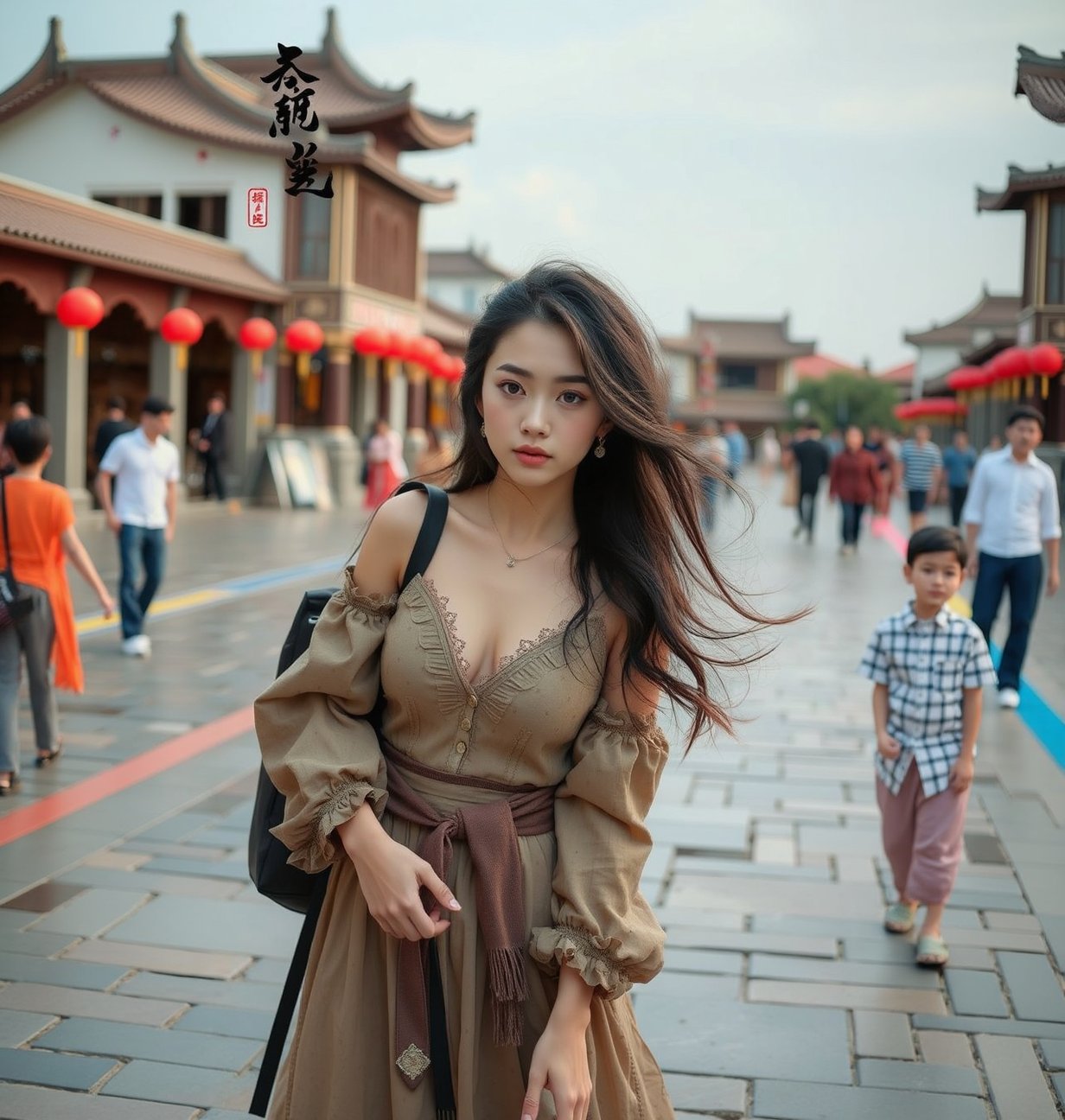
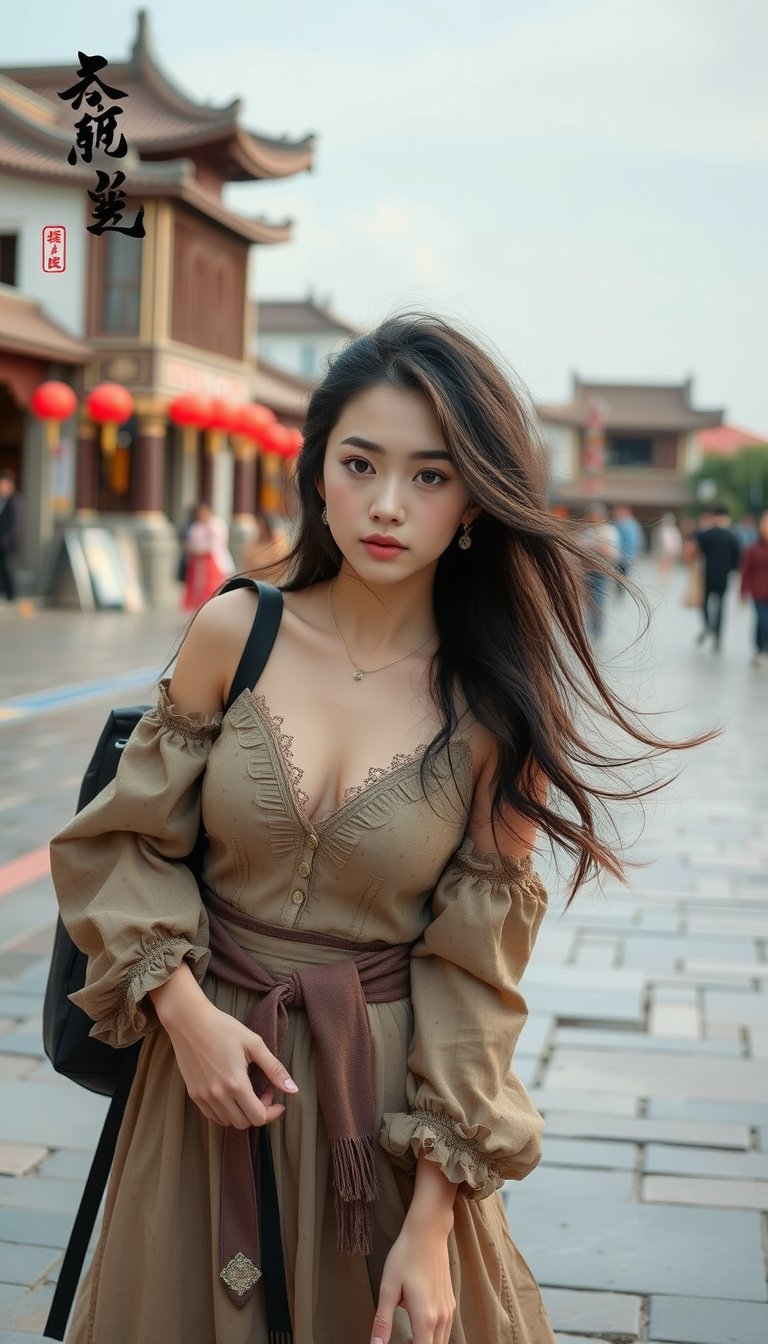
Background Expansion
AI Image Extender adds natural space around subjects
← Before / After →
Upload your image and try AI Image Extender now!
Stop Cropping. Start Expanding.
Every photographer knows the frustration - the perfect shot, but just not enough room. Traditional tools force you to crop or stretch, ruining the composition. Our AI Image Extender solves this by intelligently generating what lies beyond the frame.
What Makes AI Image Extender Different?
Think of it as having an AI artist that can imagine what's just outside your photo's frame
Unlike traditional tools that stretch pixels or add solid backgrounds, AI Image Extender analyzes your image's context - the lighting, textures, objects, and style - then generates new visual content that blends perfectly with the original.
This AI Image Extender technology uses advanced FLUX Fill models to understand what should naturally exist beyond the edges, creating seamless extensions that look like they were always part of the photo.
Whether you're extending a sky, adding more background to a portrait, or converting vertical shots to horizontal banners, the AI Image Extender maintains consistent perspective, lighting, and detail throughout the extended area.
Key Features of AI Image Extender
Everything you need for perfect image extension
Adapt to Any Screen Instantly
One-click presets for Instagram, YouTube, Pinterest and more with AI Image Extender. Switch between portrait and landscape formats in under 10 seconds.
Precision Pixel Control
Expand from left, right, top, or bottom with exact pixel measurements using AI Image Extender. Fine-tune your expansion down to the pixel for perfect results.
Intelligent Scene Understanding
AI Image Extender recognizes objects, textures, and lighting for natural results. The AI understands what it's looking at - skies, buildings, faces, or nature - and extends accordingly.
HD Quality, No Watermarks
Download professional-grade extended images with AI Image Extender. Get full-resolution output without any watermarks or branding - your images, your way.
Works with Your Formats
AI Image Extender supports JPG, PNG, WebP - drag, drop, extend. No conversion needed, no compatibility issues.
Expand All Directions
AI Image Extender handles single-side or multi-direction expansion seamlessly. Extend just the right side, all sides, or any combination - you're in control.
Your Images Stay Private
AI Image Extender processes securely - no storage, no sharing. Your images are processed in real-time and never stored on our servers.
Results in Seconds
Optimized AI pipeline delivers fast AI Image Extender results. Most images are extended in under 20 seconds - no waiting, no queues.
How to Use AI Image Extender in 3 Easy Steps
With just a few clicks, you can extend your images
Upload Your Photo
Drag and drop any image to AI Image Extender - we accept JPG, PNG, WebP up to 25MB. Your image is ready to extend in seconds.
Choose How to Extend
Select quick aspect ratios or manually control expansion direction with AI Image Extender. Use presets like 16:9 for wide format or fine-tune each side individually.
Generate & Download
AI Image Extender creates your extended image in seconds - download in HD quality. Get a perfectly extended image that looks professionally composed.
Use Cases for AI Image Extender
Perfect for social media, web design, and creative projects
Social Media Format Conversion
Convert any photo to fit Instagram posts, stories, YouTube thumbnails with AI Image Extender. One photo becomes multiple formats - square for feed, vertical for stories, wide for YouTube.
Website Banner Creation
Extend product photos into perfect header images with AI Image Extender. Transform vertical product shots into wide banners that leave room for text and branding.
Print & Presentation Materials
Resize images for posters, presentations, banners with AI Image Extender. Extend photos to fit exact dimensions for printing or presentation slides without losing quality.
Ready to Extend Your Images?
Get started now and see how easy it is to resize and expand your images with AI Image Extender.
What Users Say About AI Image Extender
Real feedback from our users
J.D.
Web Designer
"I had a client who needed their product photos converted from portrait to landscape for a new website layout. AI Image Extender handled this perfectly - the extended backgrounds matched the original studio lighting, and I completed 50 product shots in an afternoon instead of reshooting the entire catalog."
A.S.
Photographer
"AI Image Extender saved a wedding shoot - the bride was cropped too tight and I was able to extend the background without losing any detail. The result looked completely natural."
K.T.
Content Creator
"As a travel blogger, I often have stunning shots that just need a bit more breathing room. AI Image Extender lets me expand horizons and skies without losing that authentic feel. My engagement increased 40% after I started using it to create more cinematic Instagram posts."
M.R.
E-commerce Owner
"Product photos never fit our banner dimensions until AI Image Extender. Now I extend backgrounds in seconds instead of reshooting. Saved us hundreds in photography costs."
S.L.
Graphic Designer
"The aspect ratio presets are a game-changer. I can quickly adapt any image for different platforms. The quality is impressive and the results are instant."
P.K.
Social Media Manager
"I use AI Image Extender daily to repurpose content across platforms - one photo becomes multiple formats effortlessly. It's become an essential part of my workflow."
Frequently Asked Questions
Everything you need to know about AI Image Extender
How does the AI know what to add to my photo?
AI Image Extender uses advanced context-aware analysis to understand your image's lighting, textures, objects, and style. It then generates new content that naturally extends from the existing edges, creating seamless results that look like they were always part of the original photo.
Is AI Image Extender really free to use?
Yes! AI Image Extender is completely free with no sign-up required for basic usage. You can extend multiple images daily at no cost. For unlimited extensions and premium features, consider upgrading to our Pro plan.
Can I guide what gets added to the extended area?
Absolutely! AI Image Extender offers a prompt feature where you can describe what you want added - like 'extend the sky with clouds' or 'add more trees to the forest'. The AI will use your guidance while maintaining visual consistency with your original image.
Will the extended area look natural?
Yes. AI Image Extender uses FLUX Fill technology to ensure seamless blending. The extended areas match the original's lighting, perspective, textures, and style, making it nearly impossible to distinguish where the extension begins.
How long does AI Image Extender take to process?
Most images are extended within 10-20 seconds using AI Image Extender. Processing time depends on image size and expansion amount, but our optimized AI pipeline delivers fast results without compromising quality.
Can I extend images from all four sides?
Yes! AI Image Extender supports expansion from left, right, top, and bottom - either individually or all at once. You can also use quick aspect ratio presets for automatic expansion to common formats like 16:9 or 1:1.
What image formats does AI Image Extender support?
AI Image Extender supports JPG, PNG, and WebP formats up to 25MB. Whether you're working with photos from your phone, professional camera, or downloaded images, our tool handles them all seamlessly.
Will extending affect my original image quality?
Not at all. AI Image Extender preserves your original image's quality and resolution. The extended areas are generated new at the same quality level, and you can download the final result in HD without any watermarks.
Can I use AI Image Extender for commercial projects?
Yes! Images extended with AI Image Extender can be used for both personal and commercial purposes. This includes product photos, marketing materials, website banners, social media content, and more. Check our terms of service for full details.
What makes this AI Image Extender different from Photoshop?
AI Image Extender is designed for speed and simplicity - no design skills required. While Photoshop's Generative Fill is powerful, it requires a subscription and learning curve. AI Image Extender is free, works in seconds through your browser, and specializes specifically in seamless image extension.
Can I undo or redo extensions if I'm not satisfied?
AI Image Extender provides preview options so you can review results before downloading. If an extension doesn't meet your expectations, you can try different expansion settings or adjust the direction. For best results, experiment with small extensions first to see how the AI handles your specific image type.
Does AI Image Extender work on faces and people?
Yes! AI Image Extender can extend backgrounds behind people and even partially extend body positioning in certain contexts. However, for the most natural results with portraits, we recommend extending the background areas rather than the subject itself. The AI is trained to understand human anatomy and maintains realistic proportions when extending scenes containing people.